You have probably seen the prompt: “Enter the code we just sent you.” That extra step is two-factor authentication, and understanding what is two factor authentication helps you see why it is worth the few seconds it takes. This guide explains how it works, why it matters, and how to set it up on the accounts that need it most.
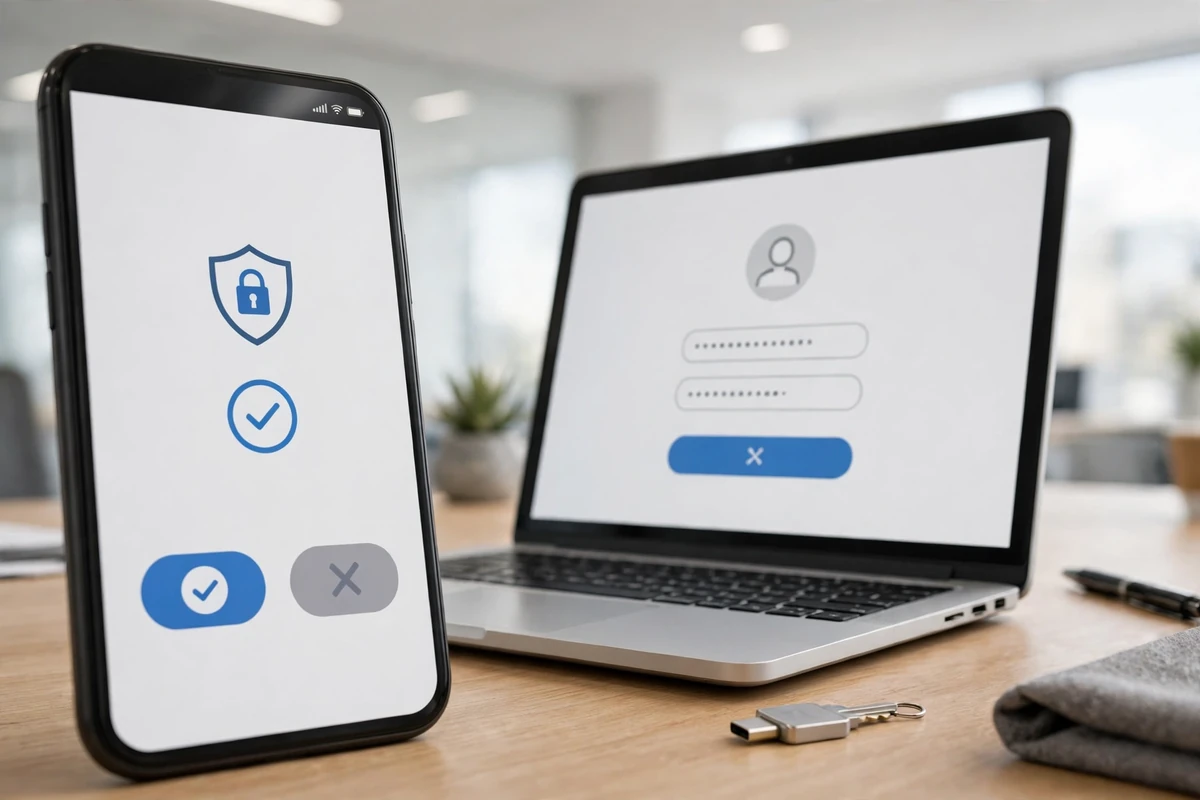
In short, two-factor authentication, often shortened to 2FA, asks for two proofs that you are really you. The first is something you know, your password. The second is something you have, like your phone, or something you are, like your fingerprint. Both together are far stronger than a password alone.
What Is Two-Factor Authentication, Exactly?
When you sign in with only a password, anyone who learns that password can walk straight in, from anywhere in the world. With 2FA enabled, a stolen password is not enough, because the attacker still needs your second factor. That is the core answer to what is two factor authentication: it turns a single secret into a two-part check.
The idea is not new. Banks have used card-plus-PIN at ATMs for decades. What changed is that phones made the second step easy to carry everywhere, so websites and apps can offer the same protection that cash machines always had.
The Main Types of Second Factors
Not all second factors are equal. Text message codes are the most common and the easiest to start with, but they are also the weakest, because texts can be intercepted or redirected through SIM-swap fraud. Authenticator apps, which generate rotating codes on your device, are a solid step up and work without a phone signal.
Stronger options worth knowing
- Authenticator apps: codes refresh every 30 seconds and never travel over the phone network.
- Push approvals: approve a sign-in with one tap, and see where the attempt came from.
- Security keys: a small physical device you plug in or tap; the strongest common option.
- Biometrics: fingerprint or face unlock on your own device, usually combined with the options above.
Why 2FA Matters More Than Ever
Passwords leak constantly. Old breaches resurface for years, and many people reuse the same password across sites, so one leak can unlock email, banking, and shopping accounts in a chain. That risk is exactly why the growth described in how fintech is changing financial services has come with stronger sign-in rules across the industry.
Payment tools make the stakes concrete. As digital payment wallets become everyday tools, a hijacked account can mean real money leaving in minutes. Two-factor sign-in slows an attacker down long enough for the attempt to fail or for you to notice and respond.
Where to Turn It On First
Start with your primary email account, because whoever controls your email can reset almost every other password you own. Next come banking, investment, and payment apps, then social media, shopping, and cloud storage. Business owners should protect bookkeeping and banking tools as well, since the records covered in small business bookkeeping basics often connect directly to money movement.
Online sellers deserve a special mention. A hijacked store account can divert payouts and damage a reputation overnight, which is why anyone following the steps to start an ecommerce business in the USA should enable 2FA on the store, the payment processor, and the email behind both on day one.
Protecting Business and Money Accounts
For companies, 2FA is also part of basic risk management, sitting alongside the protections discussed in the small business insurance coverage guide. Insurers and banks increasingly ask whether it is enabled, and some policies treat its absence as carelessness after an incident.
The same thinking extends to newer financial tools. Readers exploring how cryptocurrency options work will find that exchanges push hard for app-based 2FA, because crypto transfers are hard to reverse. And as AI assistant apps gain access to calendars, messages, and files, the accounts behind them deserve the same two-step protection.
Common Problems and How to Avoid Them
The biggest fear is being locked out. Avoid it by saving the backup codes most services offer during setup, stored somewhere safe and offline. Add a second method where possible, such as both an authenticator app and a backup phone number. If you change phones, move your authenticator accounts over before wiping the old device.
Also watch for approval fatigue. If you get a sign-in prompt you did not start, deny it and change your password, because someone may be testing a stolen one. Companies rolling out new systems, as in digital transformation in business services, train staff on exactly this habit, and similar awareness is growing in the wider world covered by technology and the future of finance. For physical spaces, the layered thinking behind smarter home security services is the same: one lock is good, two independent checks are better.
How to Set Up 2FA, Step by Step
Setup follows the same pattern almost everywhere. Sign in to the account, open its security settings, and look for “two-factor authentication,” “two-step verification,” or “login verification.” Choose your method, usually an authenticator app, and scan the QR code the site shows you. Enter the code the app generates to confirm the link between the account and your phone.
Before you finish, the service will offer backup or recovery codes. Save them. A printed copy in a drawer or a note in a password manager beats a screenshot buried in your photos. Finally, test it: sign out and sign back in to make sure the code prompt appears and your backup method works.
Which accounts to do today
- Primary email account.
- Bank, cards, and payment apps.
- Social media and messaging accounts.
- Cloud storage, shopping, and your Apple or Google account.
Passkeys: The Newer Cousin of 2FA
You may also see passkeys offered during setup. A passkey replaces the password-plus-code routine with a cryptographic key stored on your device, unlocked by your fingerprint, face, or PIN. It folds both factors into one smooth step and cannot be phished the way typed codes can.
Passkeys are worth accepting when a major service offers them, especially for email and banking. They remove the weakest link, the password itself, while keeping the two-part idea that makes 2FA strong. Until they are everywhere, though, classic two-factor authentication remains the protection to switch on first.
2FA for Teams and Small Businesses
Everything that protects a personal account matters twice at work, because one compromised inbox can expose customers, invoices, and payroll. Small businesses should require two-factor authentication on email, banking, accounting, and social accounts, and the requirement should include the owner. Shared logins are a common weak point; where a tool must be shared, store it in a business password manager that supports individual access and audit trails.
Make setup part of onboarding, the same day a new employee receives their accounts, and remove access the same day someone leaves. Keep a short written list of which services have 2FA enabled and where the backup codes live. That list turns a stressful lockout into a five-minute fix, and it shows banks and insurers that the business takes basic security seriously.
Customers benefit too, even if they never see the effort. A business that cannot be impersonated easily is a business whose invoices, emails, and payment requests can be trusted, which protects the relationships the company depends on.
It is also worth turning on login alerts where they are offered. A quick notification when a new device signs in gives you the chance to react in minutes rather than discovering a problem weeks later. Combined with two-factor authentication, alerts close the loop: the second factor blocks most attacks, and the alert tells you an attempt happened at all, which is your cue to change the password and check recent activity before anything else goes wrong.
Set a reminder to review your protected accounts once or twice a year, adding 2FA anywhere new that offers it.
Frequently Asked Questions
Is two-factor authentication the same as two-step verification?
They are closely related. Two-step verification often uses two steps of the same kind, while true two-factor authentication combines different kinds, such as a password plus a device. In everyday use, both give you similar protection.
Can hackers bypass 2FA?
It is much harder than beating a password alone. Attackers usually try tricking you into sharing a code, which is why you should never give a code to anyone who contacts you, even if they claim to be your bank.
What if I lose my phone?
Use your saved backup codes or a secondary method to sign in, then set up 2FA on your new device. This is why saving recovery codes during setup matters so much.
Key Takeaways
Now you know what is two factor authentication and why it works: it pairs something you know with something you have, so a stolen password stops being a master key. Turn it on for email and money first, prefer an authenticator app over text codes, and keep your backup codes safe. A few seconds per sign-in buys a very large amount of security.