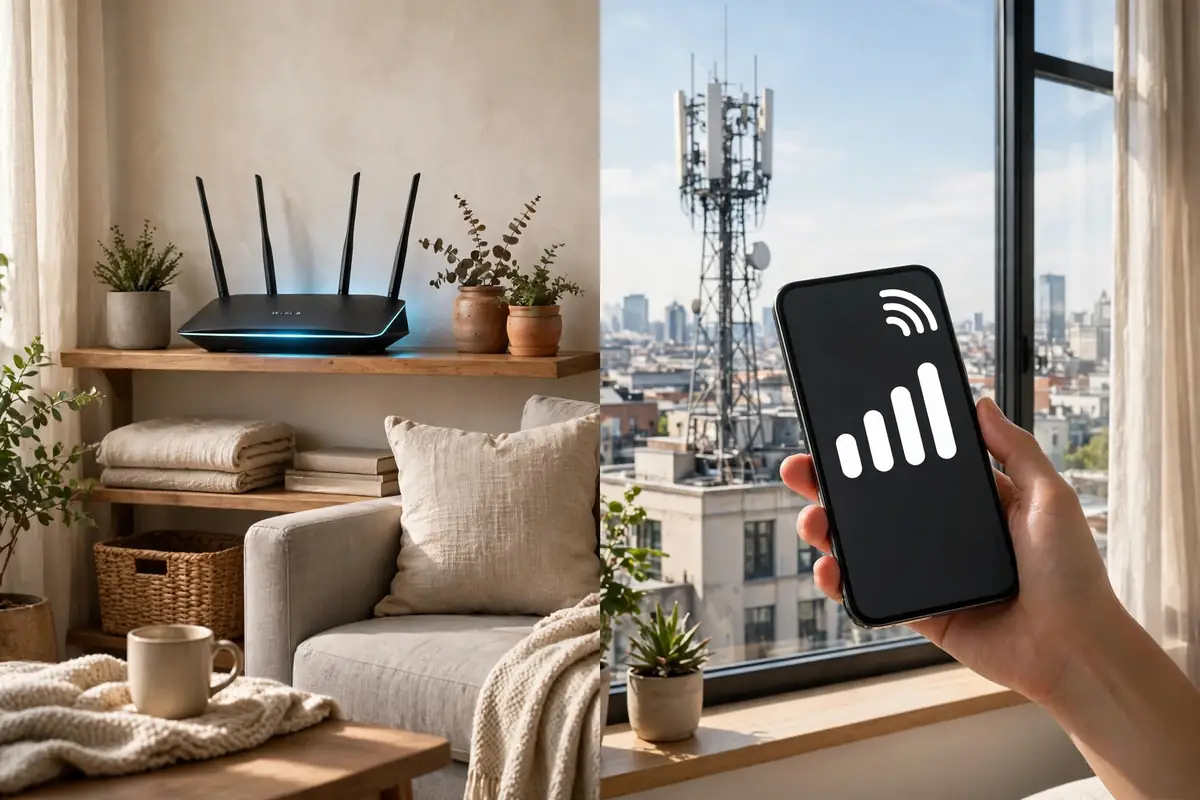
Your phone brags about 5G, your new router brags about Wi-Fi 6, and both promise blazing speed. So what is the actual 5g vs wifi 6 difference? The short answer: they solve different problems. 5G connects you to the internet through cell towers when you are out and about, while Wi-Fi 6 connects your devices to your home’s internet connection inside your house.
Understanding the 5g vs wifi 6 difference helps you spend money wisely. Some households pay for faster mobile plans when their real bottleneck is an old router, and others buy a premium router when their internet plan is the slow part. This guide separates the two technologies in plain language.
What 5G Actually Is
5G is the fifth generation of mobile network technology offered by carriers like Verizon, T-Mobile, and AT&T. Your phone connects to nearby cell towers, and the carrier’s network carries your data to the internet. Speeds vary widely by location and by the type of 5G available. The fastest version, millimeter wave, is extremely quick but has short range and is mostly found in dense city areas and stadiums. The mid-band version most people actually use is a healthy step up from 4G LTE without being magical.
Because 5G travels with you, it powers life outside the house: maps, video calls from the road, and streaming on trains. It also underpins trends like electric vehicles reshaping urban commuting, where cars exchange data with networks as they drive, and even the planning behind NASA’s plans for human missions to Mars relies on advanced wireless communication lessons learned here on Earth.
What Wi-Fi 6 Actually Is
Wi-Fi 6 is a standard for your local wireless network, created by the router in your home or office. It does not provide internet by itself; it distributes the internet connection you already pay for, from cable, fiber, or another provider, to your devices. Its big improvement over older Wi-Fi is efficiency. Wi-Fi 6 handles many devices at once far better, using smarter scheduling so your laptop, TV, phones, and smart gadgets stop fighting each other for airtime.
That matters because the average home now has dozens of connected devices. The gadgets in innovative smart home devices and systems like smart ceiling fan technology all sip from the same Wi-Fi pool. Wi-Fi 6 keeps those small connections stable while the TV streams in 4K and someone games in the next room.
The 5G vs Wi-Fi 6 Difference in Speed, Range, and Reliability
In raw peak speed, both can be fast, but they get there differently. Wi-Fi 6 speed at home depends on your internet plan: a gigabit fiber plan plus a Wi-Fi 6 router can feel instant everywhere in the house. 5G speed depends on signal, tower distance, and how many people share the tower, so it swings more from hour to hour and street to street. At a crowded event, 5G often slows to a crawl exactly when you want it most.
Where each one wins
- At home with many devices: Wi-Fi 6, because it manages crowded networks efficiently and your data plan stays untouched.
- While traveling or commuting: 5G, because your home router cannot come with you.
- For gaming and video calls at home: Wi-Fi 6 on a good plan, for steadier latency.
- As backup internet: 5G, since a phone hotspot can cover you during a home outage.
The 5G vs WiFi 6 Difference in Costs That Matter
Wi-Fi 6 usually costs a one-time router purchase plus your existing monthly internet bill, and it serves every device in the house at no extra per-device charge. 5G is tied to your mobile plan, and heavy home use through a hotspot can burn through high-speed data allowances quickly. Some carriers now sell 5G home internet as a cable alternative, which can be a good deal in areas with strong signal and limited wired options, but performance varies by address far more than cable or fiber does.
Businesses weigh the same math at a larger scale. The connectivity choices behind digital transformation in business services often mix both: Wi-Fi 6 inside the building, 5G for field staff and backup. Even security setups such as smarter home security services commonly pair the two, running cameras on home Wi-Fi while sending alerts over whichever network is up.
Everyday Scenarios, Decided
Streaming a movie on the couch? Your TV should be on Wi-Fi 6, ideally wired if it sits near the router. Listening through the best noise-canceling headphones under $200 on a train? That is 5G’s job. Running a video meeting from a home office while kids stream upstairs? Wi-Fi 6 with a decent plan handles it comfortably. Working from a cabin for a week? Check the 5G map first, because rural coverage is still the weak point of mobile networks.
Smart devices blur the line further. Systems covered in home audio upgrade guides stream over Wi-Fi at home, while your phone switches between the two networks all day without you noticing. Even industrial tech like RFID-based automated parking systems combines local wireless with mobile data, which is really the lesson of this comparison: modern life uses both, in layers.
Do You Need to Upgrade?
If your router is more than five years old and your home is full of connected devices, a Wi-Fi 6 router is one of the cheapest quality-of-life upgrades in tech. If your phone plan still drops to 4G in the places you spend your day, a 5G plan and phone may be worth it, but test coverage before switching carriers. And as AI assistant apps and cloud tools move more of daily life online, the quality of both connections will matter more each year, not less.
Latency and Gaming: The Number Nobody Advertises
Speed tests show download numbers, but gamers and video callers live and die by latency, the delay before data starts moving. Wi-Fi 6 was designed partly for this: its scheduling cuts the small delays that pile up when many devices share one router, so a game stays responsive even while the household streams. 5G also improved latency over 4G, and in strong coverage it is perfectly playable, but its delay swings more with distance, weather, and tower load.
Practical advice follows from that. If competitive gaming or all-day video meetings matter, anchor them to the home network, ideally with a wired connection to the router for the most important machine. Save 5G for everything mobile, where its convenience is unbeatable and its variability rarely matters.
The Next Step: Wi-Fi 7 and 5G’s Maturity
Both technologies keep evolving. Wi-Fi 7 routers are already on shelves, promising wider channels and even better handling of dense homes, though most households will not feel a dramatic difference until their devices and internet plans catch up. Meanwhile, carriers keep densifying 5G, which steadily improves the coverage gaps that frustrate rural users today.
For most readers, the smart move is boring: buy a good Wi-Fi 6 router now if yours is old, choose a 5G plan based on real coverage maps rather than advertisements, and revisit the question in a few years. Chasing the newest standard early mainly benefits the companies selling it.
One more comparison hides inside the spec sheets: battery and data. Wi-Fi connections are gentle on a phone’s battery and usually ride on unmetered home internet, so long streams and big downloads belong there whenever possible. 5G radios work harder, especially hunting for signal at the edge of coverage, and mobile data on many plans is capped or throttled after a threshold. That is why phones are designed to prefer Wi-Fi automatically, and why letting them do so saves both battery and money without any effort from you. When you do force a big download over 5G, such as a movie for a flight, start it where coverage is strong and the tower is not crowded, like home in the morning rather than a packed station at rush hour.
And when something feels slow, measure before you spend: run a speed test on Wi-Fi at the router, again across the house, and once on 5G. The pattern in those three numbers tells you exactly which network is letting you down.
Frequently Asked Questions
Is 5G faster than Wi-Fi 6?
Sometimes, but not reliably. A strong Wi-Fi 6 network on a fast fiber plan usually beats typical 5G at home, while the best 5G can outrun a slow home internet plan. Your plan, signal, and location decide the real winner.
Can 5G replace my home Wi-Fi?
For light users in strong-coverage areas, 5G home internet can work. Households with many devices, gamers, and heavy streamers usually still do better with wired internet plus Wi-Fi 6.
Does Wi-Fi 6 work with older devices?
Yes. Wi-Fi 6 routers are backward compatible, so older phones and laptops still connect. They just do not get the newest efficiency benefits until you upgrade the devices too.
Key Takeaways
The real 5g vs wifi 6 difference is territory, not quality: 5G is the network that follows you through the world, and Wi-Fi 6 is the network that runs your home. Most people need both working well. Upgrade the one that is actually your bottleneck, and the other will suddenly seem faster too.