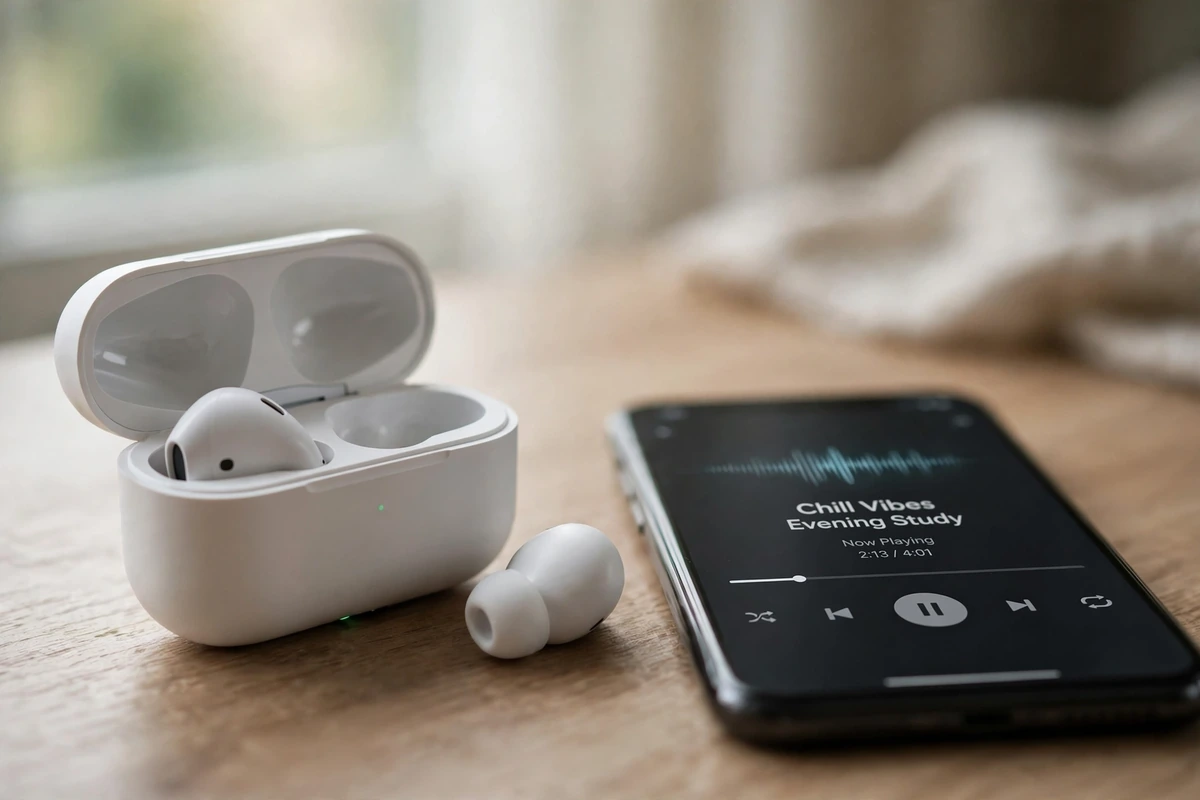
It feels like magic: tap a tiny bud into your ear and music appears, with no cable in sight. Yet plenty of listeners wonder how do wireless earbuds work behind the scenes. The real answer involves radio waves, clever compression, and batteries the size of a coin, all working together in a fraction of a second. This guide explains Bluetooth audio in plain English, from pairing to noise canceling.
How Do Wireless Earbuds Work? The Short Version
Wireless earbuds replace the cable with a Bluetooth radio connection. Your phone converts music into digital data, compresses it, and beams it through the air on the 2.4 GHz band, the same neighborhood of spectrum used by Wi-Fi. Each earbud receives the signal, converts it back into sound with a tiny speaker called a driver, and plays it into your ear.
Because both earbuds need perfectly timed audio, one bud usually coordinates with the other, passing the signal along or receiving its own stream, depending on the design. Modern systems do this so precisely that you never notice the split. If you enjoy this kind of everyday tech explained simply, our companion piece on noise-canceling headphones under $200 covers the over-ear side of the same story.
Pairing: How Your Phone and Earbuds Meet
Pairing is the one-time introduction. When you open the case or press a button, the earbuds announce themselves over Bluetooth. Your phone finds that announcement, the two devices agree on security keys, and they remember each other. After that first handshake, reconnection is automatic whenever you open the case near your phone.
Bluetooth versions matter a little here. Newer versions improve connection stability, range, and battery efficiency, and support features like connecting to two devices at once, known as multipoint. That is how earbuds can watch a laptop video, then switch to your phone when a call comes in.
Codecs: The Compression That Shapes Sound Quality
Bluetooth cannot send full, uncompressed music fast enough, so it uses codecs, which are recipes for shrinking audio and rebuilding it at the other end. Every earbud supports SBC, the universal basic codec. Many Android phones add AAC or higher-end options like aptX and LDAC, which preserve more detail. Apple devices favor AAC.
In everyday listening, fit and driver quality usually matter more than codec logos. A well-sealed earbud on a basic codec will sound better than a loose-fitting premium model. Home listeners chasing maximum quality often keep a wired or speaker setup for serious sessions, as in our Definitive Technology home audio review, and use earbuds for convenience everywhere else.
Drivers: Where Digital Becomes Sound
Inside each bud sits a miniature speaker. Most earbuds use a dynamic driver, a tiny diaphragm pushed back and forth by a magnet and coil, moving air to create sound. Some premium models add balanced armature drivers for crisp high notes, or use multiple drivers per ear.
Bass depends heavily on seal. The silicone tip that fits snugly in your ear canal traps air, which is why trying the different tip sizes in the box changes the sound so much. A poor seal leaks bass and outside noise, no matter how advanced the electronics are.
How Noise Canceling Works
Active noise canceling, or ANC, uses tiny microphones on the outside of the earbuds to listen to the world around you. The earbuds then generate an opposite sound wave that cancels much of that noise before it reaches your ear. It works best on steady, low sounds like airplane engines, bus rumble, and office air conditioning.
ANC is less effective on sudden or high-pitched sounds, like a nearby conversation. That is why transparency mode exists: it lets outside sound in deliberately, so you can hear traffic or announcements without removing a bud. Frequent flyers pairing earbuds with other travel gear, like the coat in our Kaptain Sunshine traveller coat review, know this combination well on long trips.
Batteries and the Charging Case
Earbuds are too small for big batteries, so a single charge typically lasts several hours of listening. The case is the real power bank: it holds multiple extra charges and tops the buds up whenever you put them away. Total listening time advertised on the box usually combines the buds plus case.
Fast charging is now common, giving an hour or more of playback from a few minutes in the case. Wireless charging on higher-end cases adds convenience with the same pads used for phones and other smart home devices. Battery health lasts longest if you avoid leaving the case in hot cars and occasionally let it charge fully.
Latency: Why Video and Games Can Lag
Bluetooth audio involves a small delay while data is compressed, sent, and rebuilt. For music, you never notice. For video, apps compensate by delaying the picture slightly to match. Games are the hardest case, which is why many earbuds include a low-latency game mode that trades a little sound quality for speed.
If you watch movies on a phone during trips, perhaps en route to places like those in our guide to popular places to visit in Los Angeles, standard earbuds are perfectly fine. Competitive mobile gamers are the main group who should prioritize latency specs.
Ordering Earbuds Online and Delivery
Most people buy earbuds online, which makes delivery tracking part of the experience. If your package is coming through postal services, our guide on speed post tracking explains how consignment status works, and the companion piece on how many days speed post takes sets realistic expectations. Ordering a spare set before a vacation, like a stay at the Cosmeen lifestyle boutique stay, avoids the classic airport purchase at double the price.
Voice Assistants and Touch Controls
Taps and presses on the bud control playback, calls, and noise canceling modes. Most earbuds also summon your phone’s voice assistant, reflecting the broader trend covered in our article on AI apps replacing personal assistants. Microphones with wind reduction and beamforming focus on your voice, which is why calls sound clear even on a breezy street.
Fit, Comfort, and Battery Habits That Matter Daily
The technology only shines when the earbuds stay comfortable for hours. Most people fall into one of two camps: those who prefer snug in-ear tips for isolation and bass, and those who prefer open designs that rest gently and let the world in. Neither is better in general; they suit different ears and different situations. If you run outdoors, a secure fit and water resistance rating matter more than any codec. If you wear buds through a workday, light weight and a case that slips into a pocket quietly decide your satisfaction.
Battery habits are equally practical. Earbuds age fastest when they sit fully charged in a hot case or run completely flat for weeks. Using them regularly, storing the case at room temperature, and updating firmware when the app suggests it keeps both buds balanced. Uneven battery drain between left and right buds is one of the most common complaints after a year of use, and gentle habits like these are the simplest prevention.
Troubleshooting Common Problems
- One bud silent: place both in the case, close it for a few seconds, and reopen; check for earwax blocking the mesh.
- Constant dropouts: keep your phone on the same side of your body, and avoid areas dense with competing networks.
- Poor fit and weak bass: try every tip size; the right seal changes everything.
- Case not charging: clean the metal contacts on buds and case with a dry cloth.
- Audio out of sync: toggle Bluetooth off and on, or enable the game or low-latency mode for video.
Planning a media room instead? The ideas in our basement entertainment center guide cover the speaker-based alternative for shared listening.
Frequently Asked Questions
Do wireless earbuds work with any phone?
Yes. Bluetooth is a universal standard, so earbuds work with Android and iPhone alike. A few special features, like certain high-end codecs or assistant shortcuts, may be limited to the same brand’s phones.
Why do my earbuds sound worse on calls?
Calls switch the earbuds into a hands-free mode that prioritizes your voice microphone, which lowers music quality. This is normal Bluetooth behavior, not a defect.
Can I use one earbud at a time?
Most models support single-bud listening, which is handy for calls and for staying aware of your surroundings. Battery use will be uneven between the buds if you do this often.
How far from my phone can I go?
Typical range is around 30 feet indoors, less through walls. Newer Bluetooth versions and uncluttered spaces can stretch that further.
And if your buds ever need replacing, recycle the old pair through an electronics program rather than a drawer; the batteries and tiny magnets inside are worth recovering properly.
The Bottom Line
Now you know how wireless earbuds work: your phone compresses music with a codec, sends it by Bluetooth radio, and tiny drivers turn it back into sound, while microphones cancel noise and the case keeps everything charged. Understanding those pieces makes buying easier, because you can judge earbuds by fit, features, and battery instead of marketing buzzwords.